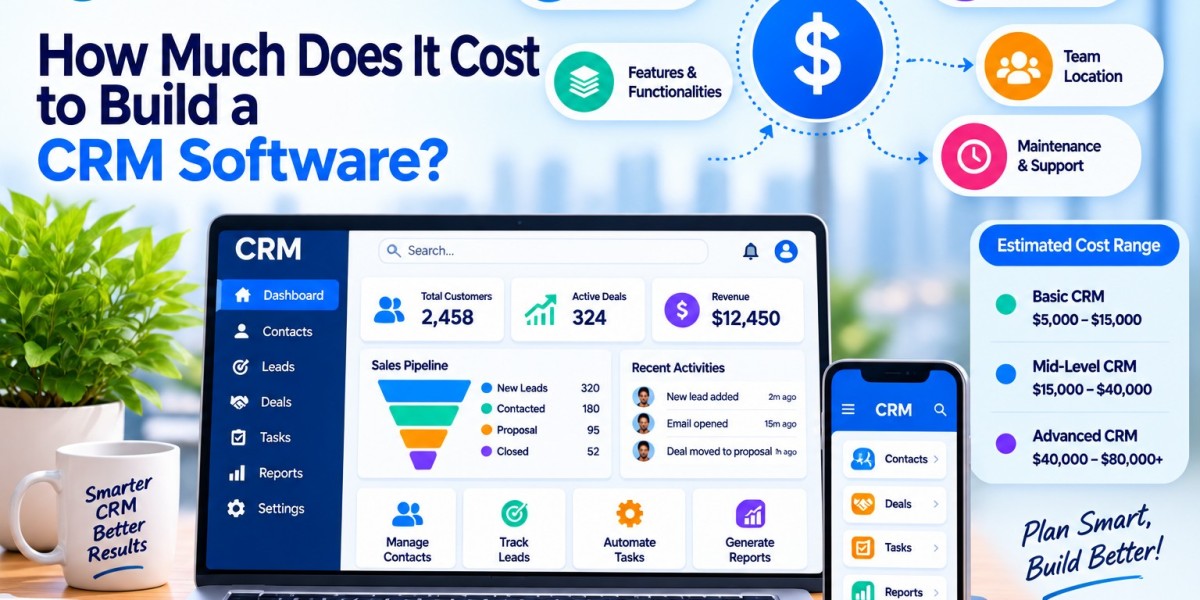

Many growing businesses reach a point where spreadsheets and shared inboxes stop working. Leads get lost, follow-ups slip, and nobody has a clear view of customer history. That is usually when a company starts asking what it would really take to build its own system, and what it would cost.
What Is CRM Software Development?
CRM software development means designing and building a system that stores customer data, tracks conversations, and supports sales, marketing, and support work. Unlike a subscription product, a custom build is shaped around your own processes.
Companies with unusual sales cycles, strict data rules, or many internal tools to connect often choose this route. A logistics firm, for example, may need shipment records tied to customer accounts, which most standard tools don't handle well.
Average Cost to Build a CRM Software
The CRM software development cost depends mostly on scope. These are rough market ranges, and quotes vary by region and team:
Basic CRM: $15,000 to $30,000. Contact management, simple lead tracking, and basic reports.
Mid-level CRM: $30,000 to $80,000. Automation, role-based access, dashboards, and a few integrations.
Advanced CRM: $80,000 to $150,000 or more. AI features, complex workflows, deep integrations, and enterprise-grade security.
Treat these as starting points. A detailed requirements document is what turns a range into a real estimate.
Key Factors That Affect CRM Development Cost
No two projects are priced the same because several choices shape the final figure. Understanding them early helps you set a realistic budget and avoid surprises once development is underway.
Features and Complexity
Every added feature means more design, coding, and testing hours. A system with custom pipelines and automated approvals costs far more than one that only stores contacts and notes.
Type of CRM
Operational CRMs handle sales and service tasks, analytical ones focus on data insights, and collaborative ones connect teams. Analytical systems usually cost more because of reporting logic and data processing.
Platform
A web-only product is the most economical. Adding native iOS and Android apps increases the CRM development cost, since each platform needs its own build and testing.
UI/UX Design Requirements
A clean, simple interface is quicker to produce. Custom layouts, detailed user research, and role-specific dashboards add design time but improve daily usability.
Third-Party Integrations
Connecting email, payment gateways, telephony, or accounting tools takes extra work. Each integration needs setup, testing, and ongoing upkeep when the other tool updates.
Security and Compliance Needs
Industries such as healthcare, finance, and insurance must follow strict data rules. If you work in that space, this guide on insurance CRM software shows how compliance shapes feature choices.
Development Team Location and Size
Hourly rates differ widely between regions. A larger team finishes faster but costs more per month, while a smaller one takes longer for the same result.
Cost Breakdown by Development Stage
Costs are spread across the project rather than paid all at once. A typical split looks like this:
Planning (10 to 15%): Requirement gathering, scope definition, and technical decisions.
Design (10 to 15%): Wireframes, user flows, and interface mockups.
Development (40 to 50%): Front-end and back-end coding, database setup, and integrations.
Testing (15 to 20%): Bug fixing, performance checks, and security testing.
Deployment (5 to 10%): Server setup, data migration, and launch support.
Cutting corners on planning or testing rarely saves money. Problems found after launch cost much more to fix.
Cost of Essential CRM Features
Features are where most of the budget goes. Some are straightforward, others need careful engineering. Here is what common modules involve and how they affect price.
Contact Management
The foundation of any CRM. Storing profiles, notes, and history is fairly low cost, typically $2,000 to $5,000.
Lead Tracking
Capturing leads, assigning owners, and tracking stages takes moderate effort. Expect roughly $3,000 to $8,000, depending on scoring rules.
Automation
Rules for reminders, emails, and task assignment add complexity. Costs often range from $5,000 to $15,000 based on how many workflows you need.
Reporting and Analytics
Simple dashboards are inexpensive. Custom reports, filters, and forecasting tools can push this module to $5,000 to $20,000.
Integrations
Each connection usually costs $1,500 to $5,000. Older systems without modern APIs sit at the higher end.
Custom CRM vs. Ready-Made CRM: Cost Comparison
Ready-made tools have low entry costs, often charging per user each month. A team of 30 paying $50 per user spends about $18,000 a year, and that grows with every hire.
A custom build costs more upfront but has no per-seat licensing. The custom CRM cost becomes easier to justify over three to five years, especially for larger teams. Flexibility also matters. Off-the-shelf tools may force you to change your process, while a custom system adapts to it. For small teams with standard needs, though, a ready-made option is often the more practical choice.
Hidden and Ongoing Costs to Consider
The build price is not the full picture. Plan for these recurring expenses:
Maintenance and updates: Usually 15 to 20% of the original build cost per year.
Hosting: Cloud servers and storage fees grow as your data grows.
Support: Bug fixes and help for users after launch.
Training: Time and materials to get staff comfortable with the system.
Data migration: Cleaning and moving old records can take longer than expected.
Businesses that budget only for development often find the total CRM software cost higher than planned in year two.
Tips to Reduce CRM Development Cost
Lower cost doesn't have to mean lower quality. Smart planning removes waste without hurting the final product. A few habits make the biggest difference.
Start With an MVP
Launch with only the essential features first. Real user feedback shows what to build next and prevents spending on tools nobody uses.
Prioritize Core Features
Rank features by business impact. Handle must-haves first and postpone nice-to-haves until the budget allows.
Choose the Right Tech Stack
Well-supported frameworks with large developer communities reduce build time and make future maintenance easier and cheaper.
How to Choose the Right Development Partner?
The team you hire affects both cost and outcome. Before signing, check a few things:
Experience: Look for past work in your industry or with similar system sizes.
Portfolio: Ask for live examples and, if possible, speak to previous clients.
Communication: Clear updates and honest answers about risks are good signs.
Support: Confirm what help is available after launch.
If you are comparing options, ask whether the CRM Development service you are considering explains its estimate line by line and describes how it handles scope changes.
Conclusion
Building a CRM is a long-term investment, and the price depends on features, platform, integrations, and the team you work with. Define your needs clearly, start small, and budget for maintenance from the beginning.
If you want to explore this further, EmizenTech publishes practical resources on CRM planning that can help you prepare before you request quotes.
FAQs
1. How long does it take to build a CRM?
A basic system may take two to three months. Advanced platforms can take six months or longer.
2. Is a custom CRM worth it for a small business?
Only if your process is unusual. Otherwise, a ready-made tool is usually more affordable.
3. Can I add features later?
Yes. Building in phases is common and helps control spending.
4. Do I need a mobile app from the start?
Not always. A responsive web version often covers early needs.
5. What is the most common budgeting mistake?
Ignoring maintenance and support costs after launch.